The speed workflow
Five core systems that cut editing time by 80%.
Project setup, silence removal, B-roll automation, zoom & cut and music sync — set up once, reused on every video.
Learn the speed-editing system top editors use — Premiere Pro workflows, AI automation and landing better clients — taught in Tamil by Tharun Kumar.
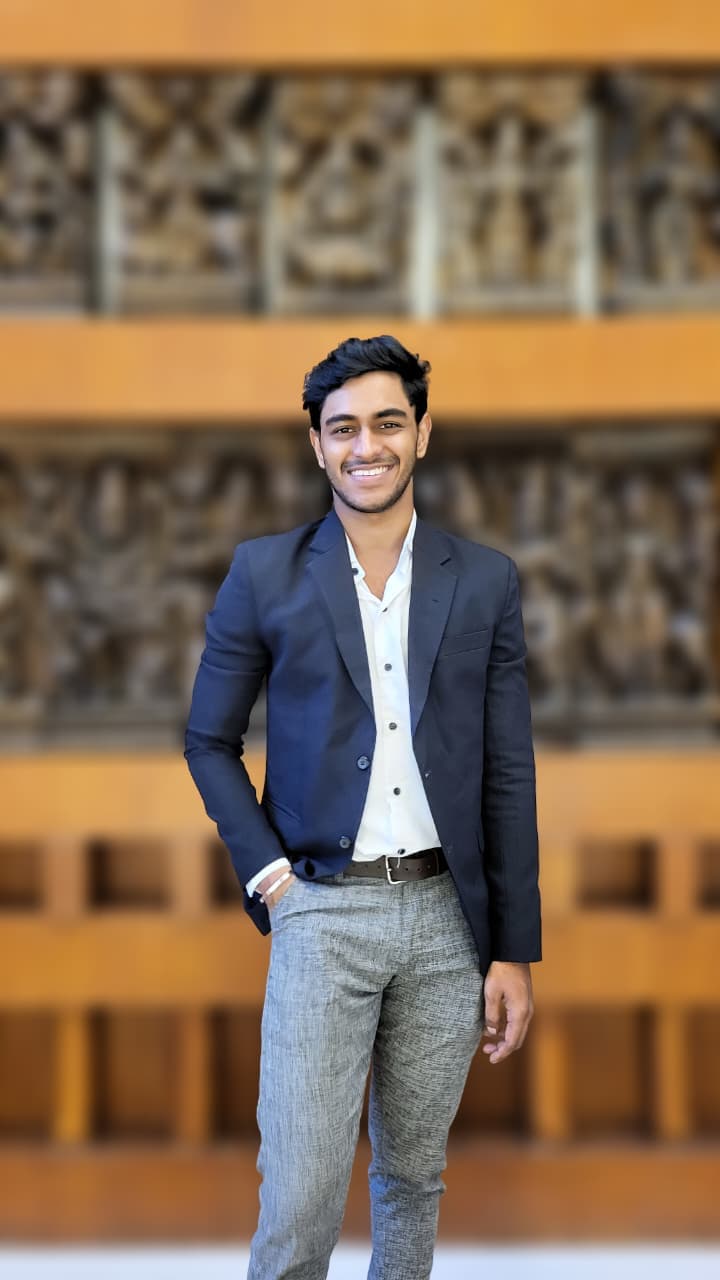 Tharun KumarSpeed Video Editing Mentor
Inside the Premiere Pro speed-editing system
12,000+
Editors trained
across India by Tharun Kumar
150+
YouTube channels scaled
Tharun has worked with top creators in India
7,046
Students enrolled
in 2 ProSkill courses
Live10–15
Videos edited a day
with the complete speed-editing system
The courses
Complete, lesson-by-lesson systems taught in Tamil — with lifetime access and a certificate when you finish.
Why ProSkill
The workflow, the automation and the business side — the complete system Tharun built to edit 10–15 videos a day, taught step by step.
The speed workflow
Project setup, silence removal, B-roll automation, zoom & cut and music sync — set up once, reused on every video.
Taught in Tamil
Every lesson is explained in Tamil, while slides and on-screen demos stay in English — exactly what you see in the software.
Auto-edit stack
Automatic subtitles, automatic text animations and an AI workflow for the repetitive part of every edit.
Client system
Learn who actually pays well, where to find them, and how to close them.
Lifetime access
Every update and every new module is yours at no extra cost.
Certificate
Earn a verifiable certificate of completion when you finish the required modules.
How it works
No guesswork about what to learn next. Four steps, in order.
Step 01
Pick a course, create your account, and you’re in. No waitlists, no sales calls.
Step 02
Short, focused lessons explained in Tamil, with notes and resources beside every video. Your progress saves as you go, so you always pick up where you left off.
Step 03
Set up the workflow once — project setup, silence removal, B-roll, zoom & cut, music sync — then reuse it on every edit.
Step 04
Finish the required modules and unlock a verifiable certificate of completion.
Tharun Kumar
Founder, ProSkill
12,000+
editors trained
Your mentor
Speed Video Editing Mentor and Founder of ProSkill. He built a complete speed-editing system to edit 10–15 videos a day — and teaches the whole system, in Tamil.
Student stories
Before this I was managing 3 to 4 videos a day on a good day. Tharun's shortcuts and the Premiere automation he sets up changed that completely; last week I cut 12 in one day and still logged off by 7. The system is the difference, not willpower.
The silence removal and B-roll automation alone gave me back two hours every day. It's a proper repeatable system, not random tips you forget the next morning.
I went from struggling to finish 5 a day to comfortably hitting 10 to 15 once I rebuilt my project setup the way he teaches. The AI workflow handles all the boring stuff and I just do the creative final pass.
Tharun teaches like a friend who actually wants you to win. I've done other courses and none of them changed my daily output like this one did.
20 years in editing and I genuinely thought I'd seen every trick. I was wrong. The zoom-and-cut and music sync automation he showed made me feel like a beginner again, in the best way.
He answers every single doubt, even the basic ones, without making you feel small. I asked three follow-up questions during the session and he walked me through all of them.
My old workflow was 90 minutes a video. After learning his Premiere shortcuts and the auto-subtitle setup, the same video takes me under 40 minutes. I took on two new monthly clients because I finally had the time.
This is not a tips video. It's an actual system — setup, silence, B-roll, sync, export — each part connects to the next so you stop thinking and just move. That's how the volume becomes possible.
Tharun is clearly a master at this. Every shortcut he hits has a reason behind it, nothing is wasted, and watching him work is a lesson by itself. He's in a different league from the editors I usually learn from.
After two decades cutting video I rarely sit through workshops. This one I'm glad I did; the Premiere Pro automation and B-roll system were sharper than anything I'd built myself in 20 years.
What I liked most was how he teaches. No jargon, no showing off, just clear steps in Tamil that actually stuck, even the AI workflow part I'd been scared of.
I run a small team and we were capped at maybe 6 videos a day between us. After applying his system each editor now handles 10 to 12 alone. For 99 rupees the speed it unlocked is almost unfair.
FAQ
Everything you need to know before you enroll.
Yes. If a course isn’t right for you, ask for a refund within 30 days of purchase — as long as you’ve completed less than 30% of it. The details are in our refund policy.
Join 12,000+ editors who already made the shift.